MDCplus protocol library includes access to Mitsubishi data
Try it yourself Get guided demo16 July 2026
Mitsubishi MELSEC Data Access
How to access data from Mitsubishi MELSEC PLCs and MELDAS/M700-M800 CNC controllers: MC protocol, SLMP, device addressing, and what's different between PLC and CNC data access
How to get access to Mitsubishi MELSEC data?
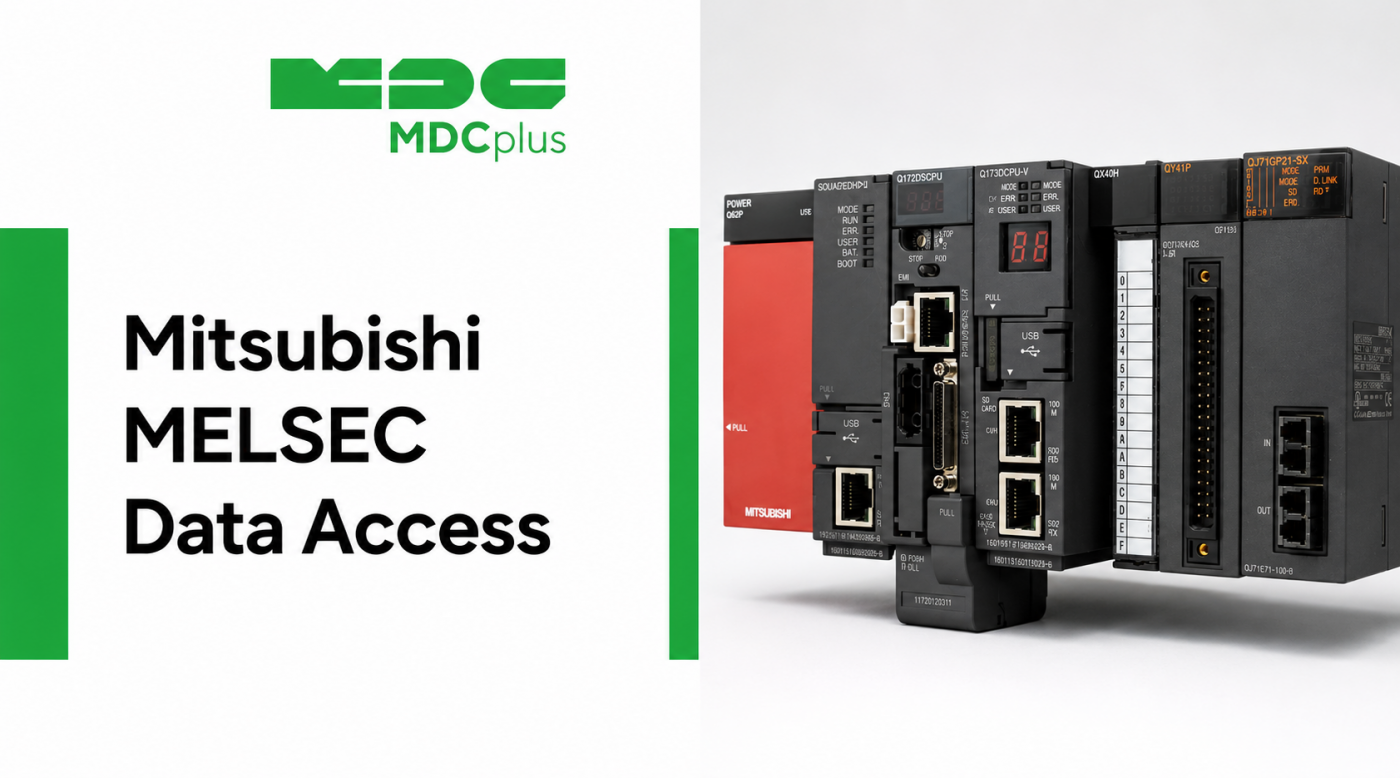
Mitsubishi equipment shows up on shop floors in two related but distinct forms: MELSEC PLCs used across general automation, and Mitsubishi's own CNC controllers (MELDAS, M700, M800 series) that share some of the same underlying communication technology. Getting data out of either one means understanding Mitsubishi's own protocol stack rather than an open standard, and the right approach depends on which of the two you're actually connecting to. This article walks through both.
Contents:
- MELSEC PLCs vs. Mitsubishi CNC controllers
- MC Protocol and SLMP
- Device addressing: how MELSEC data is organized
- Data access on M700/M800 CNC controllers
- What data you can collect
- Setting up a connection: a practical path
- Common implementation challenges
- Frequently asked questions
- Conclusion
MELSEC PLCs vs. Mitsubishi CNC controllers
It's worth separating these clearly before going further, since they're often conflated:
- MELSEC is Mitsubishi Electric's PLC product line (FX, Q, iQ-R series, and others), used broadly across industrial automation — not specific to machine tools.
- MELDAS / M700 / M800 are Mitsubishi's CNC controller products, used on machine tools, which run on related but distinct communication technology and expose CNC-specific data (program status, axis position, spindle data) that a general-purpose MELSEC PLC connection alone won't give you.
A machine built around a Mitsubishi CNC controller will often also have a MELSEC PLC handling auxiliary logic, which means a full data picture on some machines can require reading both interfaces rather than just one.
MC Protocol and SLMP
The primary way to read data from a MELSEC PLC is Mitsubishi's MC Protocol (MELSEC Communication Protocol), which defines how a client reads and writes device memory over Ethernet or serial connections. A more recent, standardized version of this communication method is published as SLMP (Seamless Message Protocol), which Mitsubishi has opened up beyond its own product line, allowing broader third-party support without requiring a Mitsubishi-specific software library the way some other vendors' proprietary protocols do.
- MC Protocol comes in a few different frame formats (1E, 3E, 4E, and others) depending on the PLC series and firmware, which affects exactly how a client needs to structure its requests.
- SLMP standardizes much of this into a more consistent, documented format, and because it isn't locked behind a proprietary SDK, it has seen adoption in some third-party industrial software beyond Mitsubishi's own ecosystem.
Device addressing: how MELSEC data is organized
MELSEC PLCs organize memory into named device types rather than a single flat register table — for example, D (data registers) for numeric values, M (internal relays) for bit-level states, and X/Y (inputs/outputs) for physical I/O. A client reading MELSEC data needs to know both the device type and the specific address to request the right value, which, similar to Modbus, means the PLC's own program documentation is the authoritative source for what a given address actually represents — there's no standardized vocabulary telling a client that "D100" means spindle load on one machine and something else entirely on another.
Data access on M700/M800 CNC controllers
Mitsubishi's CNC controllers expose CNC-specific data — program execution status, axis positions, alarms — through their own API, separate from the general MC Protocol used for PLC memory access, though the two are related technologies from the same vendor. As with other proprietary CNC interfaces, using this API typically means working with Mitsubishi's own documentation and, in many cases, licensing terms similar to what other CNC vendors require for their proprietary connection libraries; our OEM protocol licensing guide covers how this kind of licensing generally works across CNC brands.
What data you can collect
| Source | Access method | Typical data |
|---|---|---|
| MELSEC PLC | MC Protocol / SLMP | Whatever is mapped to D/M/X/Y devices — process states, counters, custom flags |
| M700/M800 CNC controller | Mitsubishi CNC API | Program status, axis position, spindle data, alarms |
| Mixed machine (CNC + PLC) | Both, combined | Full picture of machine and process state, requiring two connections |
Setting up a connection: a practical path
- Identify whether you need PLC data, CNC data, or both. This determines whether MC Protocol/SLMP alone is sufficient or whether the CNC-specific API also needs to be involved.
- Get the device's address/register map. For PLC access, this means the ladder program documentation showing which D, M, X, or Y addresses hold the values you need.
- Confirm the PLC series and frame format. Older and newer MELSEC series support different MC Protocol frame types; verify compatibility before building a connector around a specific format.
- Test connectivity and data accuracy before scaling. Validate readings against known machine states on one unit before rolling the same connection method out across a full fleet.
- Plan network segmentation. As with Modbus, MC Protocol and SLMP don't include strong built-in security by default, so network-level protection matters for anything exposed on a broader plant network.
Common implementation challenges
- Conflating PLC and CNC data access. Assuming that connecting to the MELSEC PLC automatically gives you CNC-level data (or vice versa) leads to gaps in what a monitoring setup can actually report.
- Frame format mismatches. Building against the wrong MC Protocol frame type for a given PLC series is a common source of failed connections that can look like a network issue at first.
- No standardized vocabulary across machines. Because device addresses are entirely program-specific, register maps built for one machine's PLC program rarely transfer directly to another, even from the same manufacturer.
- Licensing for CNC-level access. Where the Mitsubishi CNC API is involved rather than just PLC-level MC Protocol, licensing terms may apply that don't exist for the more open SLMP path.
Frequently asked questions
Is SLMP the same as Modbus TCP?
No, they are different protocols, though conceptually similar in that both are request-response, address-based communication methods. SLMP is Mitsubishi's own standardized protocol, while Modbus TCP is a separate, older, and more broadly vendor-neutral protocol; some devices support both. We cover Modbus TCP specifically in a separate article.
Can I get CNC-specific data from a Mitsubishi machine using only MC Protocol?
Generally no, if the data lives specifically on the CNC controller (program status, axis data) rather than being mirrored into PLC memory. Full CNC data access typically requires Mitsubishi's CNC-specific API in addition to, or instead of, standard MC Protocol/SLMP access to the PLC.
Do I need Mitsubishi's own software to read MELSEC data?
Not necessarily for PLC-level access via MC Protocol or SLMP, since the protocol is documented and supported by various third-party industrial software. CNC-level access through Mitsubishi's proprietary API is more likely to require Mitsubishi-specific tools or licensing.
Is older MELSEC hardware (like the FX series) still commonly connected for monitoring?
Yes. Older MELSEC PLCs remain common on shop floors, and MC Protocol support (often over serial rather than Ethernet on the oldest models) makes them connectable, though with more limited addressing options than current-generation series.
Conclusion
Mitsubishi connectivity splits into two related but separate tracks: MC Protocol and SLMP for MELSEC PLC memory, and a distinct proprietary API for CNC-specific data on M700/M800 controllers. Getting a complete picture of a machine built around Mitsubishi equipment often means combining both, and in either case, the device's own address or register documentation — not the protocol name alone — is what actually determines what data is reachable.
Related articles:
- Common Mitsubishi PLC Error Codes and How to Fix Them
- Mitsubishi CNC Error Codes Explained
- How to Start Monitoring Mitsubishi CNC for Free
- Modbus TCP for Machine Monitoring
- MDCplus Machine Connectivity & Integrations
About MDCplus
Our key features are real-time machine monitoring for swift issue resolution, power consumption tracking to promote sustainability, computerized maintenance management to reduce downtime, and vibration diagnostics for predictive maintenance. MDCplus's solutions are tailored for diverse industries, including aerospace, automotive, precision machining, and heavy industry. By delivering actionable insights and fostering seamless integration, we empower manufacturers to boost Overall Equipment Effectiveness (OEE), reduce operational costs, and achieve sustainable growth along with future planning.
Ready to increase your OEE, get clearer vision of your shop floor, and predict sustainably?
Other articles
14.08.2026
How Do You Build a Mobile Dashboard Plant Managers Actually Use?
Building a mobile-first Tailwind PWA for plant managers: what belongs on a phone screen, offline behavior, push notifications, and prompts for an executive manufacturing dashboard
Read more
13.08.2026
How Do You Create Manufacturing KPI Widgets with Cursor and v0.dev?
Using v0.dev to generate manufacturing KPI widgets and Cursor to wire them into an existing dashboard repo: the two-tool workflow, prompts for scrap rate and MTTR/MTBF, and integration pitfalls
Read more
12.08.2026
How Do You Build a 3D Shop Floor Map Driven by Live PLC Data?
Building a 3D shop floor map with React Three Fiber: preparing CAD geometry for the web, mapping PLC tags to mesh colors, performance limits, and when 3D is the wrong choice.
Read more
11.08.2026
How Do You Design an Andon Display For Shop-Floor Using AI?
Prompting UI/UX for shop floor Andon displays: type scale for distance viewing, colorblind-safe status coding, glare and glove constraints, and prompts that produce factory-ready screens
Read more
10.08.2026
How Do You Get Live OPC UA Machine Data into Retool?
How to vibe-code a Retool custom component that streams live OPC UA machine data over WebSockets: the bridge service, security boundaries, and prompts for each layer
Read more