Make production transparent. Try MDCplus
Try it yourself Get guided demo10 August 2026
How Do You Get Live OPC UA Machine Data into Retool?
How to vibe-code a Retool custom component that streams live OPC UA machine data over WebSockets: the bridge service, security boundaries, and prompts for each layer
Can I send OPC UA machine data into Retool?
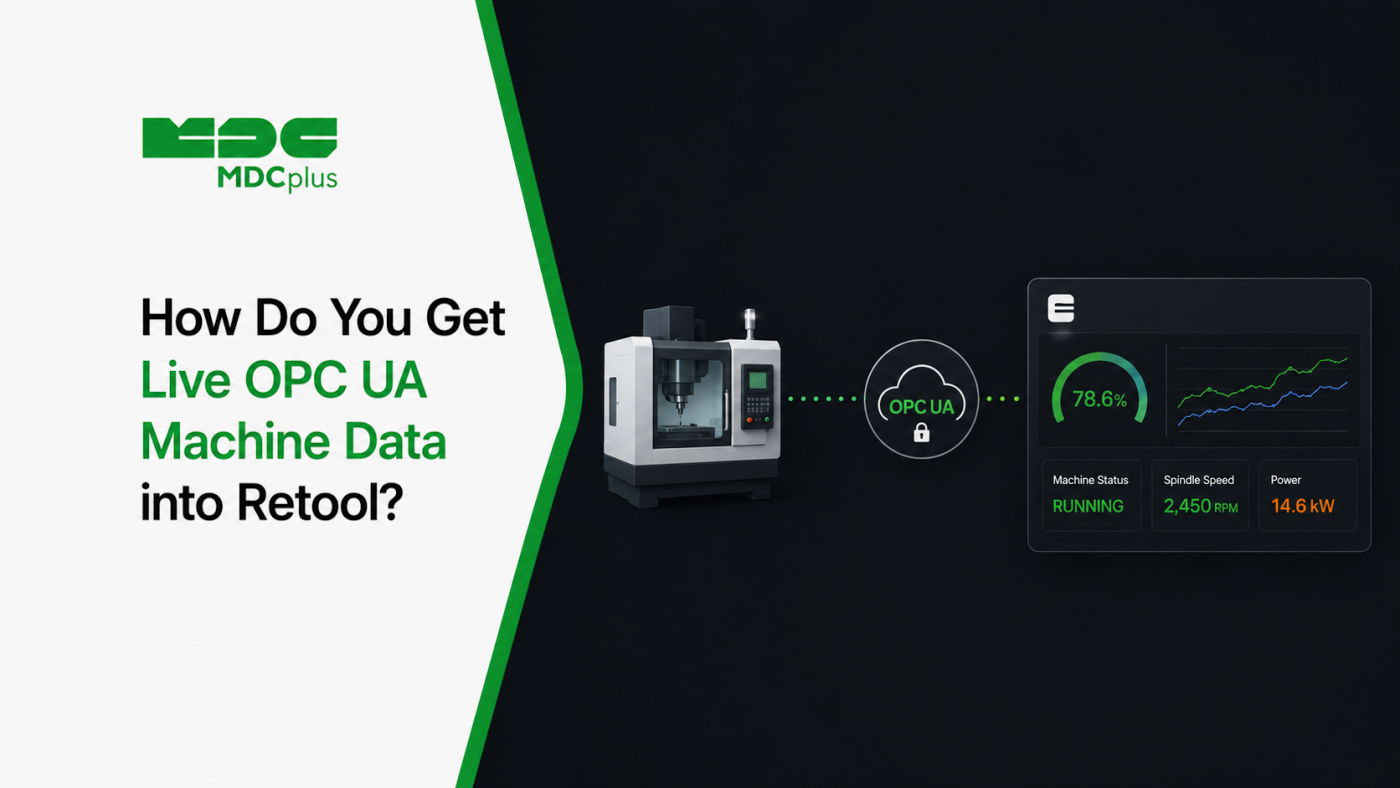
Short answer: you don't connect Retool to OPC UA directly — you build a small bridge service that speaks OPC UA on one side and WebSockets on the other, then vibe-code a Retool custom component that subscribes to it. This is a pattern worth understanding beyond Retool specifically: it's the general shape of getting live industrial data into any internal tools platform, and the reason it's necessary says something useful about where low-code platforms stop and custom code begins.
The architecture in one diagram
CNC / PLC  --OPC UA-->  Bridge service  --WebSocket-->  Retool custom component
(controller)            (Node.js/Python)                (React, in an iframe)
                              |
                        subscribes once,
                        fans out to many clients
The bridge exists because OPC UA is a stateful, certificate-authenticated, binary protocol designed for OT networks, and Retool custom components run as sandboxed browser code. A browser cannot speak OPC UA, and you would not want it to even if it could — that would mean exposing an OT-network endpoint to every browser session.
Contents:
- Why a bridge is required, not optional
- Building the bridge service
- The security boundary that matters most
- The Retool custom component
- Prompts for each layer
- Connection resilience and reconnect behavior
- When this pattern is the wrong choice
- Common pitfalls
- Frequently asked questions
- Conclusion
Why a bridge is required, not optional
Retool's native connectors cover databases, REST APIs, and common SaaS tools — a set that assumes the data source is reachable over HTTP from Retool's infrastructure or your VPC. OPC UA breaks all of those assumptions, as covered in more depth in our OPC UA for CNC data collection guide:
- It's a stateful session protocol. Clients establish a session, create subscriptions, and receive change notifications — not a request-response model a REST connector can wrap.
- It uses certificate-based mutual authentication. Browser code has nowhere sensible to hold a client certificate for an OT endpoint.
- It lives on the OT network. The whole point of the segmentation covered in our shop floor network setup guide is that arbitrary clients shouldn't reach it.
- Many OPC UA servers support write operations. An endpoint that can change machine setpoints is not something to expose broadly, even accidentally.
The bridge is what lets each side do what it's designed for: a trusted service holds the OPC UA session and credentials, and pushes a filtered, read-only stream of values outward.
Building the bridge service
The bridge is a small, long-running service with three jobs: maintain one OPC UA session, subscribe to the node IDs you care about, and fan those updates out to connected WebSocket clients. Node.js is a common choice because of mature OPC UA client libraries and native WebSocket support; Python works equally well.
The key design decision is the fan-out. One OPC UA subscription serving many browser clients is dramatically better than one subscription per client — OPC UA servers on real controllers often have modest limits on concurrent sessions and subscriptions, and opening one per dashboard viewer is a reliable way to exhaust them.
Keep the outbound payload minimal and explicitly shaped:
{ "nodeId": "ns=2;s=Machine1.SpindleLoad",
  "displayName": "spindle_load",
  "value": 47.2,
  "quality": "Good",
  "sourceTimestamp": "2026-07-17T09:14:02.331Z" }
Carrying the OPC UA quality flag through to the client is worth doing explicitly. OPC UA distinguishes Good, Uncertain, and Bad quality on every value — and a Bad-quality reading is not the same thing as the value it happens to contain. Dropping that field is one of the easiest ways to end up displaying stale or invalid values as if they were current.
The security boundary that matters most
The bridge is a deliberate chokepoint, so it should enforce constraints rather than just relay:
- Read-only by construction. The bridge should have no code path that writes to the OPC UA server, regardless of what a WebSocket client sends. Not "reject write messages" — simply not implement writes.
- Allowlist the exposed nodes. Configure which node IDs may be published; don't let clients request arbitrary ones. Otherwise the WebSocket becomes an open browse interface to the controller's address space.
- Authenticate WebSocket connections. An unauthenticated socket is an unauthenticated feed of your production data to anyone who finds the URL.
- Run it on the OT/IT boundary, not inside either. The bridge is precisely the kind of controlled crossing point the network guidance calls for — it should be the only thing reaching the OPC UA server from that direction.
- Use TLS on the WebSocket. WSS, not WS, particularly since this traffic crosses network segments.
The Retool custom component
Retool custom components run sandboxed and communicate with the surrounding app through a defined model interface. Two practical consequences shape how you build this:
First, the WebSocket connection lives inside the component, and Retool re-renders components more often than you might expect. Without care, that means opening a new socket on every render — a classic leak that quietly accumulates connections until the bridge starts refusing them. The connection needs to be established once and cleaned up properly on unmount.
Second, decide deliberately how much data crosses into Retool's model. Pushing every high-frequency tick into the component model so other Retool components can read it will make the app sluggish. Keeping high-frequency values local to the component and only publishing meaningful changes (state transitions, threshold crossings) outward performs far better.
Prompts for each layer
For the bridge service:
Write a Node.js OPC UA-to-WebSocket bridge service. It maintains a single OPC UA client session with certificate authentication, subscribes to a configurable allowlist of node IDs loaded from config, and broadcasts value changes to authenticated WebSocket clients as JSON including nodeId, displayName, value, quality, and sourceTimestamp.
Hard requirements: implement no write path to the OPC UA server at all. Reject any node ID not in the allowlist. One OPC UA subscription shared across all WebSocket clients, not one per client. Reconnect to the OPC UA server with exponential backoff on disconnect, and broadcast a connection-status message to clients so they can show the feed as degraded. Never crash the process on a single bad value. Load all credentials from environment variables. End with a list of every assumption you made.
For the Retool custom component:
Write a Retool custom component in React that connects to a WebSocket endpoint and renders live machine values. Requirements: open the connection exactly once using a ref, and close it on unmount — it must not reopen on every re-render. Show three distinct visual states: connected and receiving, connected but no data for N seconds (stale), and disconnected. Do not render a numeric value at all when quality is not Good; show the quality state instead. Expose only machine state transitions to the Retool component model, not every incoming tick.
That instruction about quality is the one people most often skip and most often regret — rendering a Bad-quality value as a normal number is exactly the silent-wrongness failure discussed in our piece on avoiding hallucinations in IIoT code.
Connection resilience and reconnect behavior
Two connections can fail independently, and the UI needs to distinguish them:
| Failure | What the user should see |
|---|---|
| Browser to bridge (WebSocket) drops | "Disconnected — reconnecting" with last values greyed out |
| Bridge to OPC UA server drops | "Machine feed unavailable" — distinct from the browser being offline |
| Both connected, but no updates arriving | "Stale — last update 4m ago", not frozen current-looking values |
| Value arrives with Bad quality | Quality state shown instead of the number |
A dashboard showing confidently frozen values during an outage is worse than one showing nothing, because nobody can tell the difference between a stopped machine and a stopped feed.
When this pattern is the wrong choice
- When your monitoring platform already exposes an API. If the data you need is available over REST from a platform that already handles OPC UA collection, use Retool's native REST connector — building a parallel bridge duplicates a solved problem, as covered in feeding machine data into custom systems via API.
- When you don't need sub-second latency. Polling a REST endpoint every few seconds is far simpler to build and operate than a stateful bridge, and is sufficient for most internal tools.
- When the data already flows to MQTT. If an edge device is already publishing to a broker, subscribing to that is simpler than opening a second path to the controller — see streaming machine data with MQTT.
- When this is really a monitoring dashboard. Retool is excellent for internal tools that combine machine data with actions and other systems. For pure machine monitoring, a purpose-built platform or Grafana is usually a better fit and less to maintain.
Common pitfalls
- One OPC UA session per browser tab. Exhausts server session limits quickly and is easy to introduce accidentally when the bridge is written naively.
- WebSocket reopened on every React render. The single most common bug in this pattern; it manifests as gradually degrading performance rather than an obvious failure.
- Dropping the quality field. Turns invalid readings into plausible numbers.
- Node IDs hardcoded in component code. They belong in bridge configuration — and, as noted in the OPC UA guide, they should come from browsing your actual server's address space, never from a model's guess.
- Bridge running with write-capable credentials. Even with no write code path, the OPC UA account itself should be read-only where the server supports it.
Frequently asked questions
Can Retool connect to OPC UA without a custom bridge?
Not directly. Retool's connectors assume HTTP-reachable sources; OPC UA is a stateful binary protocol with certificate authentication living on the OT network. Some organizations use an industrial gateway product that exposes OPC UA data as REST or MQTT, which removes the need to build a bridge yourself — but something is still translating in the middle.
How many WebSocket clients can one bridge realistically support?
Far more than the OPC UA server could support as direct clients, which is much of the point. The practical limit is the bridge's own resources and network, not the controller — provided the fan-out design is correct and you aren't opening one OPC UA subscription per browser client.
Should the bridge be allowed to write values back to the machine?
For a dashboard use case, no — implement no write path at all. If a genuine control use case exists later, it warrants its own separate service with its own authorization, audit logging, and review, not an extension of a display bridge.
Is this pattern specific to Retool?
No. The same bridge serves any browser-based internal tools platform, a custom React app, or an Andon display. Only the last hop — the component wrapper — is Retool-specific, which is a good reason to keep all the real logic in the bridge rather than in the component.
Conclusion
Getting OPC UA data into Retool is really two small builds: a bridge service that holds the OPC UA session and fans values out over authenticated WebSockets, and a thin custom component that subscribes and renders. Both are well-suited to vibe-coding, provided you constrain the bridge to read-only with an allowlist and constrain the component to open its connection exactly once. Keep the logic in the bridge, carry the quality flag all the way through, and make every failure mode visually distinct — and check first whether an existing API already gives you the data without any of this.
Related articles:
- OPC UA for CNC Data Collection: A Guide
- Vibe-Coding vs Low-Code: Which Is Better for Manufacturing Dashboards?
- Shop Floor Network Setup for Machine Monitoring
- Feeding Machine Data into Custom Systems via API
- MDCplus Machine Connectivity & Integrations
About MDCplus
Our key features are real-time machine monitoring for swift issue resolution, power consumption tracking to promote sustainability, computerized maintenance management to reduce downtime, and vibration diagnostics for predictive maintenance. MDCplus's solutions are tailored for diverse industries, including aerospace, automotive, precision machining, and heavy industry. By delivering actionable insights and fostering seamless integration, we empower manufacturers to boost Overall Equipment Effectiveness (OEE), reduce operational costs, and achieve sustainable growth along with future planning.
Ready to increase your OEE, get clearer vision of your shop floor, and predict sustainably?
Other articles
14.08.2026
How Do You Build a Mobile Dashboard Plant Managers Actually Use?
Building a mobile-first Tailwind PWA for plant managers: what belongs on a phone screen, offline behavior, push notifications, and prompts for an executive manufacturing dashboard
Read more
13.08.2026
How Do You Create Manufacturing KPI Widgets with Cursor and v0.dev?
Using v0.dev to generate manufacturing KPI widgets and Cursor to wire them into an existing dashboard repo: the two-tool workflow, prompts for scrap rate and MTTR/MTBF, and integration pitfalls
Read more
12.08.2026
How Do You Build a 3D Shop Floor Map Driven by Live PLC Data?
Building a 3D shop floor map with React Three Fiber: preparing CAD geometry for the web, mapping PLC tags to mesh colors, performance limits, and when 3D is the wrong choice.
Read more
11.08.2026
How Do You Design an Andon Display For Shop-Floor Using AI?
Prompting UI/UX for shop floor Andon displays: type scale for distance viewing, colorblind-safe status coding, glare and glove constraints, and prompts that produce factory-ready screens
Read more
10.08.2026
How Do You Get Live OPC UA Machine Data into Retool?
How to vibe-code a Retool custom component that streams live OPC UA machine data over WebSockets: the bridge service, security boundaries, and prompts for each layer
Read more